Can I add a note in the invitation to sign?
You can add and/or change 3 different types of notifications in the settings of a case.
1. When the case is sent
2. When all parties have signed
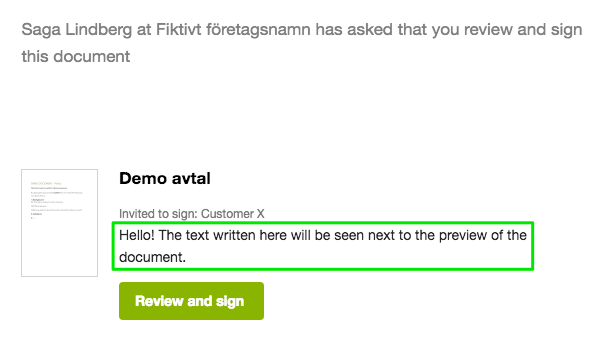
3. Include note in the emails
This is configured in the case Settings>Notifications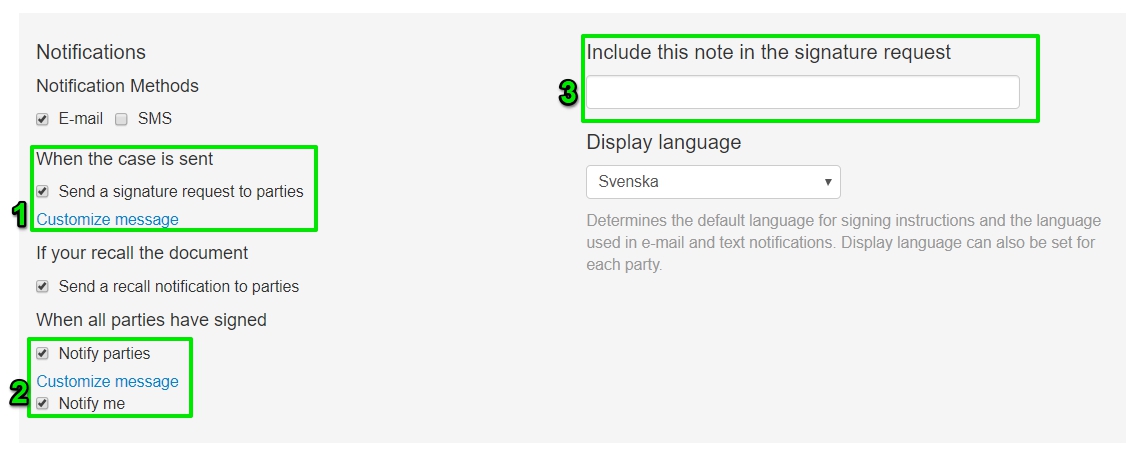 :
:
(You can not add/change the notification when a case has been recalled or dismissed.)
1. When the case is sent:
To edit the notification, click the blue link "Customize message" and type the notification you wish to add:
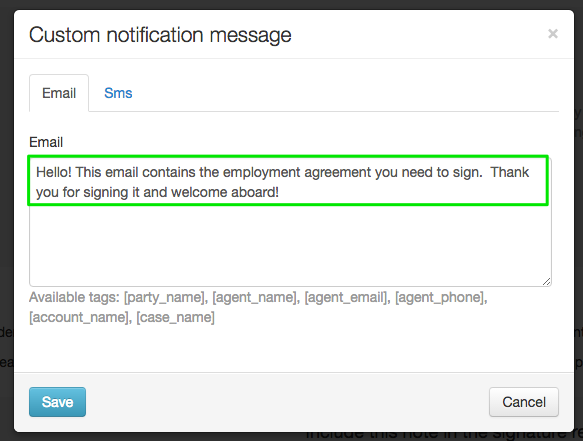
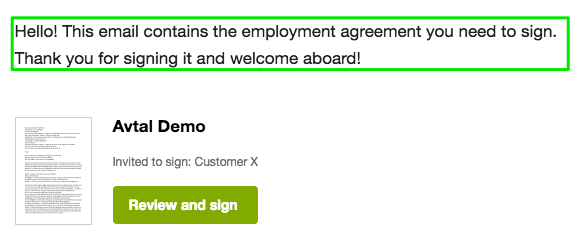
This notification will appear at the top of the 'invitation to sign' email:
2. When all parties have signed
This notification will be visible on the same spot as in notification 1; at the top of the email that goes out to all parties once the document has been signed by all.
3. Include note in the emails:
This text is edited straight in the settings, se below:
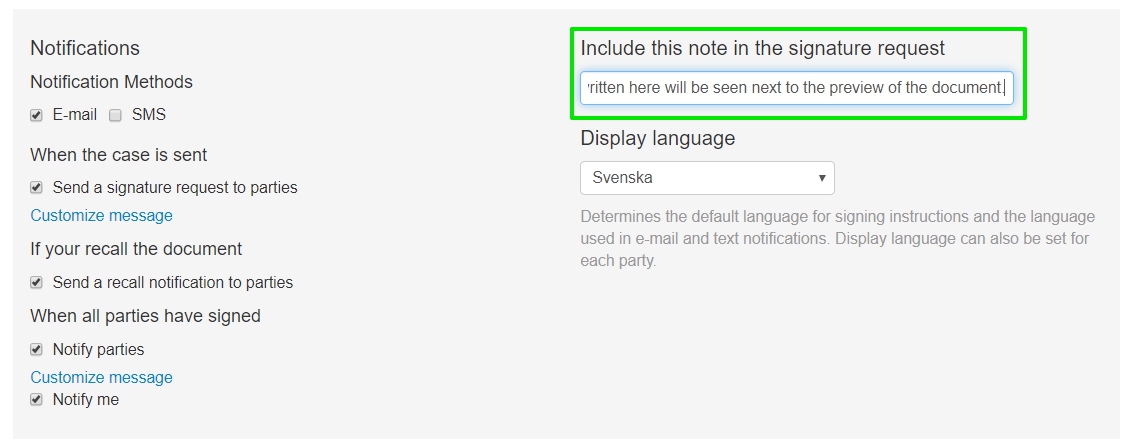
And in all emails sent connected to this case, you will se the text here:
You can also configure the text in the emails that are send to all parties before and after signing.