How do I delete a case?
Updated
Delete a Case
Note that deleting a case is permanent.
There are different ways to delete a case depending on its status. There are different ways to delete a case:
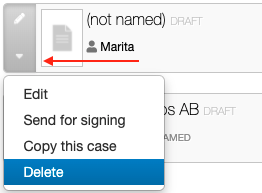
1. Delete a case directly from the Case Archive. You can also delete the case from the Case Archive in the drop downmenu. The draft case will be deleted without confirmation.
2. Delete a case on the case page. First you need to select the "…"-button at the bottom at the page to reveal the Delete button. Select Delete and confirm that you want to delete the case.


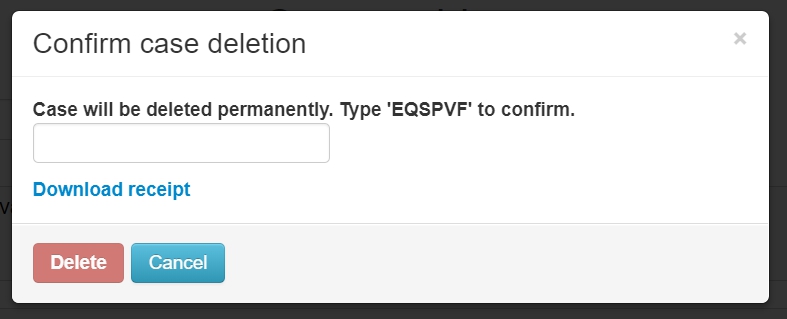
An additional confirmation dialog is shown where you need to type in a six-letter code before the case is permanently deleted.
Deleing a template
Instructions for deleting a template is found in: How do I delete a Template?