Download all signed documents / Capture data
Updated
You can download all signed documents for a chosen month using "Download captured data". They are downloaded as PDFs in a zip-file.
You can also make an Excel or CSV export that contains information about the cases, form field data and optionally metadata.
Download captured data
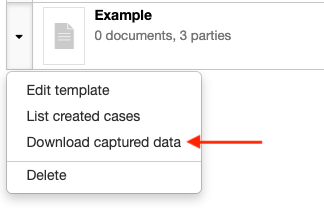
Go to Templates, go to the settings menu of the related template (se picture below) and choose Download captured data.
Or use the Download button at the bottom of the case archive in the Web Office, to download all cases on the account.
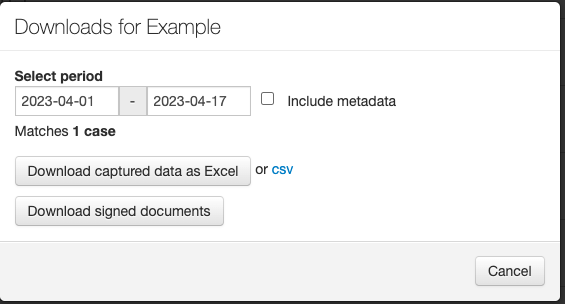
Choose period and if you wish to download the captured data as Excel or CSV, or if you wish to download all signed documents as PDF's.
Are you using our API? You also have the possibility to collect captured data through API calls.