Send a batch case via SMS
Updated
Batch case via SMS
You can choose between e-mail or SMS notification when sending a batch case, just like when sending regular cases.
You can either send a case using SMS in combination with e-mail or with just one of the two notification methods.
Required settings to send a batch case using SMS:
- a cellphone number to all parties in the source data
- cellphone number needs to be in the format 00467... (neither +46 or 070).
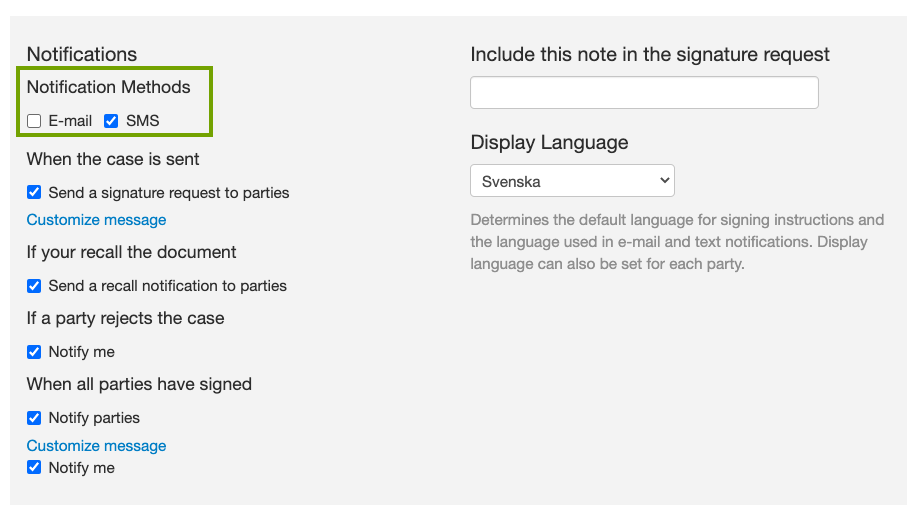
- check the box "SMS" in the Notification Methods section of the settings (see below).
This feature is an add-on and not included in all account plans - reach out to your sales person or support@assently.com if you want to know more!